Avoiding Common CRM Mistakes in the U.S. Market: A Guide for Informed Decision-Making
Customer Relationship Management (CRM) systems have become indispensable tools for businesses across the United States. From startups to multinational corporations, CRMs are leveraged to streamline sales processes, enhance customer service, and ultimately, drive revenue growth. However, the path to successful CRM implementation isn’t always smooth. Many U.S. businesses fall prey to common pitfalls, leading to wasted resources, frustrated employees, and a lackluster return on investment.
This comprehensive guide is designed to equip decision-makers with the knowledge they need to navigate the complexities of CRM selection, implementation, and utilization within the unique context of the U.S. market. We’ll explore common mistakes, compare leading CRM platforms, analyze real-world use cases, and weigh the pros and cons of different approaches, ultimately helping you make informed decisions that set your business up for CRM success.
Background: The CRM Landscape in the U.S.
The U.S. CRM market is a mature and highly competitive landscape. Numerous vendors offer a diverse range of solutions, catering to specific industries, business sizes, and operational needs. This abundance of choice, while beneficial in some ways, can also be overwhelming.
Several factors contribute to the complexity of CRM adoption in the U.S.:
- Data Privacy Regulations: The U.S. lacks a single, comprehensive federal data privacy law akin to GDPR in Europe. Instead, a patchwork of state laws, such as the California Consumer Privacy Act (CCPA) and the California Privacy Rights Act (CPRA), govern data collection and usage. Businesses operating in the U.S. must ensure their CRM systems comply with these varying regulations, adding a layer of complexity to data management.
- Integration Challenges: Many U.S. businesses already utilize a variety of software solutions for accounting, marketing, and other critical functions. Integrating a new CRM system with these existing tools can be a significant challenge, requiring careful planning and technical expertise.
- Employee Adoption: A CRM system is only as effective as the people who use it. Resistance to change, lack of training, and poorly designed workflows can hinder employee adoption, rendering the CRM investment ineffective.
- Scalability Concerns: Businesses need a CRM solution that can scale with their growth. Choosing a system that lacks the necessary features or capacity to handle future expansion can lead to costly migrations and disruptions down the line.
- Industry-Specific Needs: Different industries have unique CRM requirements. For example, a healthcare provider will have different needs than a retail company. Selecting a generic CRM system without considering industry-specific features can limit its effectiveness.
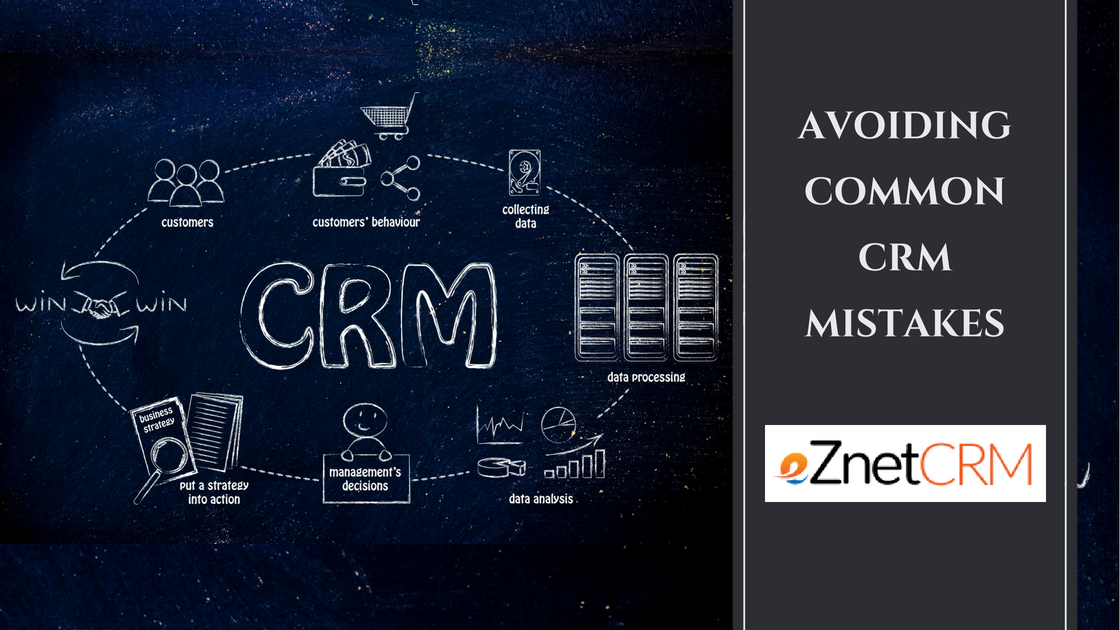
Common CRM Mistakes to Avoid in the U.S. Market:
- Lack of a Clear Strategy: Implementing a CRM without a well-defined strategy is like navigating without a map. Businesses need to clearly define their goals, identify key performance indicators (KPIs), and outline how the CRM will help them achieve their objectives.
- Choosing the Wrong CRM: Selecting a CRM based solely on price or popularity can be a costly mistake. Businesses need to carefully evaluate their needs, consider their budget, and choose a system that aligns with their specific requirements.
- Insufficient Training: Failing to provide adequate training to employees can lead to poor data entry, inefficient workflows, and ultimately, a lack of CRM adoption.
- Poor Data Quality: A CRM is only as good as the data it contains. Inaccurate or incomplete data can lead to flawed insights, ineffective marketing campaigns, and poor customer service.
- Ignoring Integration: Failing to integrate the CRM with other key systems can create data silos and hinder collaboration across departments.
- Lack of Customization: A one-size-fits-all CRM may not meet the unique needs of your business. Customizing the system to align with your workflows and processes is crucial for maximizing its effectiveness.
- Neglecting Mobile Access: In today’s mobile-first world, providing employees with access to the CRM on their mobile devices is essential for staying connected and responsive.
- Overlooking Security: CRM systems contain sensitive customer data, making them a prime target for cyberattacks. Businesses need to prioritize security and implement measures to protect their data.
- Ignoring User Feedback: Regularly soliciting feedback from employees who use the CRM can help identify areas for improvement and ensure the system meets their needs.
- Lack of Ongoing Maintenance: A CRM system is not a set-it-and-forget-it solution. Regular maintenance, updates, and optimizations are essential for ensuring its continued effectiveness.
Feature Comparison Chart: Leading CRM Platforms in the U.S.
The following chart provides a brief comparison of some of the leading CRM platforms popular in the U.S. market. It’s important to conduct thorough research and consider your specific needs before making a decision.
| Feature | Salesforce Sales Cloud | HubSpot CRM | Zoho CRM | Microsoft Dynamics 365 Sales | Pipedrive |
|---|---|---|---|---|---|
| Target Audience | Large Enterprises | SMBs | SMBs/Mid-Size | Mid-Size/Large Enterprises | SMBs |
| Pricing | High | Freemium/Paid | Paid | Paid | Paid |
| Ease of Use | Complex | Easy | Moderate | Moderate | Easy |
| Customization | Extensive | Moderate | Extensive | Extensive | Moderate |
| Integration | Wide Range | HubSpot Ecosystem | Wide Range | Microsoft Ecosystem | Growing |
| Marketing Automation | Advanced | Built-in | Advanced | Advanced | Limited |
| Sales Automation | Robust | Strong | Robust | Robust | Strong |
| Customer Service | Comprehensive | Integrated | Comprehensive | Comprehensive | Limited |
| Reporting & Analytics | Powerful | Good | Powerful | Powerful | Good |
| Mobile App | Yes | Yes | Yes | Yes | Yes |
| Data Privacy Compliance | Strong | Strong | Strong | Strong | Strong |
| Key Strengths | Scalability, Customization | Ease of Use, Inbound Marketing | Affordability, Customization | Integration with Microsoft, Comprehensive | Sales-Focused, Pipeline Management |
| Key Weaknesses | High Cost, Complexity | Limited Customization (Free Version) | Learning Curve | Complexity, Cost | Limited Marketing Automation |
Use Case Scenarios: CRM Success Stories in the U.S.
- Scenario 1: Scaling a SaaS Startup (HubSpot CRM): A SaaS startup in the U.S. was struggling to manage its growing customer base and track sales leads effectively. They implemented HubSpot CRM, leveraging its free version initially to manage contacts and track deals. As they scaled, they upgraded to the paid version, utilizing its marketing automation features to nurture leads and drive conversions. The result was a significant increase in sales efficiency and a more streamlined customer onboarding process.
- Scenario 2: Improving Customer Service in Retail (Salesforce Service Cloud): A large retail chain in the U.S. was facing challenges with inconsistent customer service across its various channels. They implemented Salesforce Service Cloud to centralize customer interactions, provide agents with a 360-degree view of each customer, and automate common support tasks. This led to improved customer satisfaction scores, reduced resolution times, and increased customer loyalty.
- Scenario 3: Streamlining Sales Processes in Manufacturing (Zoho CRM): A manufacturing company in the U.S. was struggling with inefficient sales processes and a lack of visibility into its sales pipeline. They implemented Zoho CRM and customized it to align with their specific sales stages and workflows. This resulted in improved sales forecasting, increased sales productivity, and better collaboration between sales and marketing teams.
- Scenario 4: Enhancing Sales Team Collaboration in Real Estate (Pipedrive): A real estate brokerage in the U.S. needed a CRM solution that could improve collaboration among its agents and provide a clear overview of the sales pipeline. They chose Pipedrive for its intuitive interface and focus on sales pipeline management. This resulted in better communication among agents, increased deal velocity, and improved overall sales performance.
- Scenario 5: Integrating Sales and Marketing in Financial Services (Microsoft Dynamics 365 Sales): A financial services firm in the U.S. needed a CRM solution that seamlessly integrated with its existing Microsoft ecosystem and provided advanced marketing automation capabilities. They implemented Microsoft Dynamics 365 Sales, leveraging its integration with other Microsoft products like Outlook and Power BI. This resulted in improved lead generation, more targeted marketing campaigns, and a more cohesive sales and marketing strategy.
Pros and Cons of Different CRM Approaches:
1. Cloud-Based CRM:
- Pros: Lower upfront costs, easy deployment, scalability, accessibility from anywhere, automatic updates.
- Cons: Reliance on internet connectivity, potential security concerns (addressed by robust security measures from reputable vendors), ongoing subscription fees.
2. On-Premise CRM:
- Pros: Greater control over data and security, potential for customization, no ongoing subscription fees.
- Cons: Higher upfront costs, complex deployment, requires in-house IT expertise, limited scalability, responsibility for updates and maintenance.
3. Industry-Specific CRM:
- Pros: Tailored features and functionality, pre-built integrations, industry-specific workflows.
- Cons: Higher cost, potential for vendor lock-in, limited customization outside of industry-specific features.
4. General-Purpose CRM:
- Pros: Lower cost, wider range of options, greater flexibility.
- Cons: Requires more customization, may lack industry-specific features, potential for complexity.
5. Open-Source CRM:
- Pros: Free to use, highly customizable, community support.
- Cons: Requires technical expertise, potential security vulnerabilities, limited vendor support.
Summary Verdict: Choosing the Right Path to CRM Success in the U.S.
Successfully implementing a CRM system in the U.S. market requires careful planning, a deep understanding of your business needs, and a commitment to ongoing optimization. Avoid the common mistakes outlined in this guide by:
- Developing a Clear CRM Strategy: Define your goals, KPIs, and how the CRM will help you achieve them.
- Conducting Thorough Research: Evaluate different CRM platforms and choose one that aligns with your specific requirements.
- Providing Adequate Training: Invest in training to ensure employees are proficient in using the CRM.
- Maintaining Data Quality: Implement processes to ensure data is accurate and up-to-date.
- Integrating with Key Systems: Connect the CRM with other critical applications to eliminate data silos.
- Customizing the System: Tailor the CRM to align with your workflows and processes.
- Prioritizing Security: Implement measures to protect sensitive customer data.
- Soliciting User Feedback: Regularly gather feedback from employees to identify areas for improvement.
- Performing Ongoing Maintenance: Keep the CRM system up-to-date and optimized for performance.
Ultimately, the best CRM for your U.S. business will depend on your specific needs, budget, and technical capabilities. By carefully considering these factors and avoiding common pitfalls, you can increase your chances of achieving CRM success and reaping the many benefits that a well-implemented system can provide. Remember to prioritize data privacy compliance with relevant U.S. regulations and choose a solution that offers robust security features. With a strategic approach and a commitment to continuous improvement, your CRM investment can become a powerful engine for growth and customer satisfaction in the competitive U.S. market.